
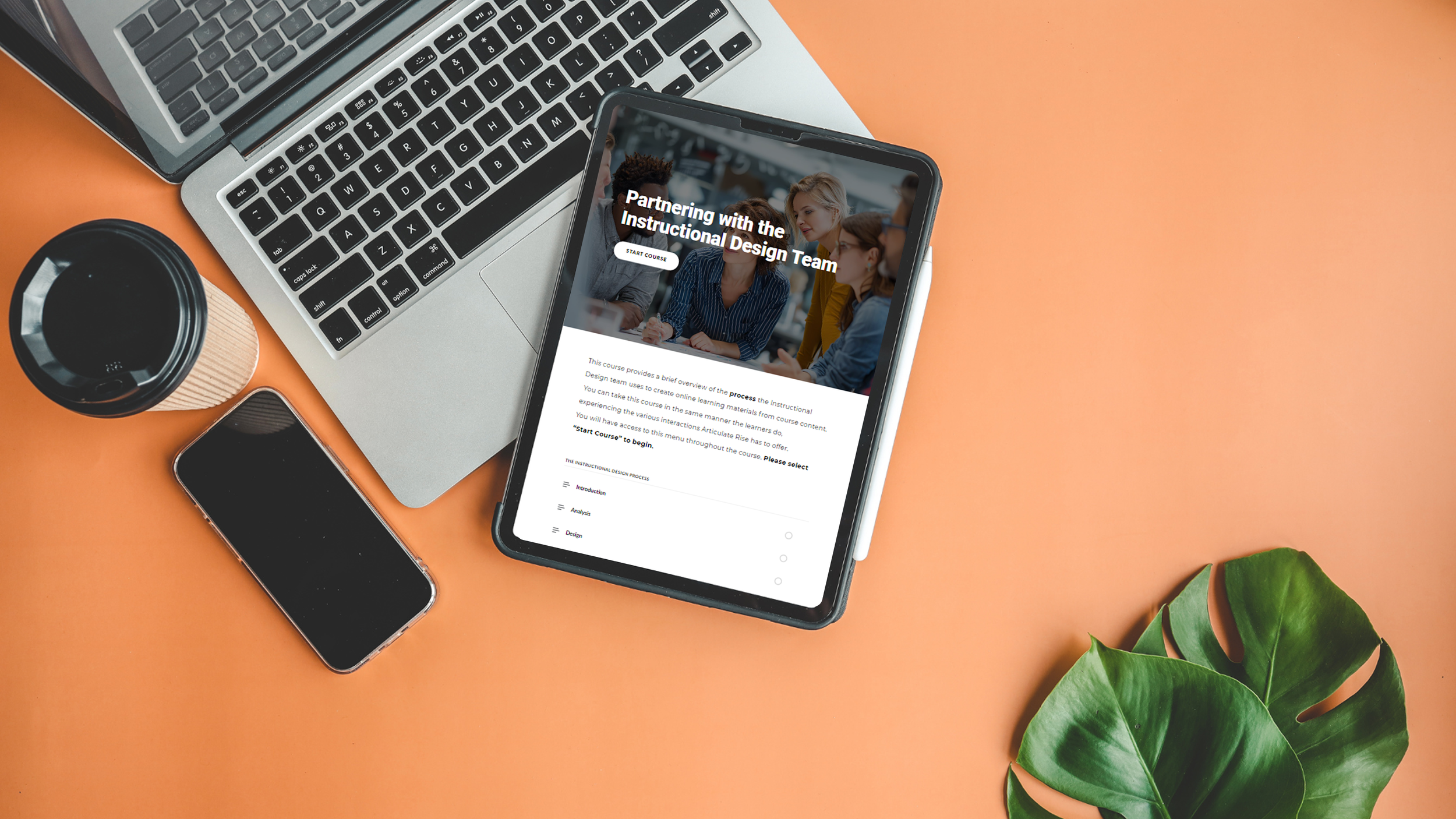
Partnering with IDs: a guide for SMEs
An eLearning project users can easily store and repeatedly reference in an LMS. The Rise format clearly outlines and orders process steps, enabling the user to return to any step when needed.
Audience: Subject Matter Experts new to working with Instructional Designers
Responsibilities: Instructional Design, Storyboard, Visual Design, Rise Development
Tools Used: Articulate Rise, Articulate Storyline 360, Figma AI, Canva, Microsoft Suite
The Problem & Solution
Subject Matter Experts can feel overwhelmed when first working with Instructional Designers (IDs). They are unsure how to share their content, what their responsibilities are, when to communicate, and what to expect in the future.
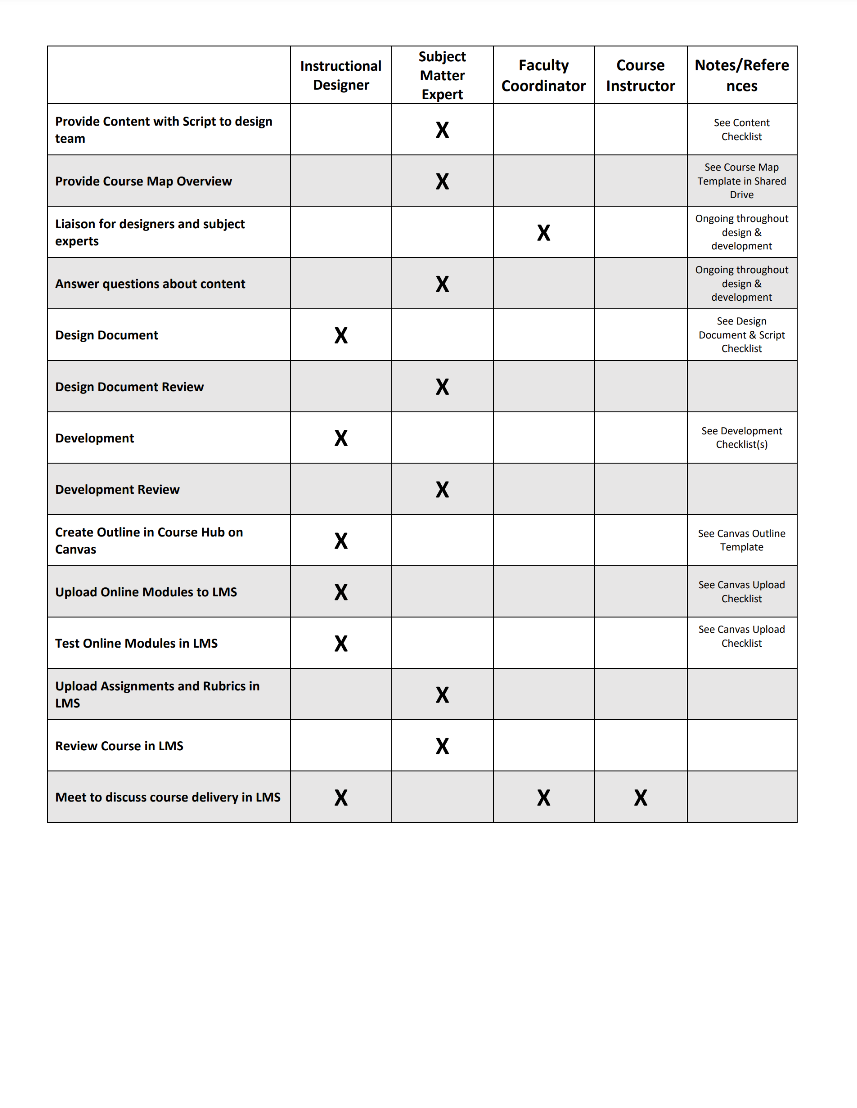
Using Articulate Rise 360, I created an overview of the process our ID team follows during collaboration—from identifying goals and collecting content to implementing and evaluating the final learning experience. The learners’ understanding deepens through short videos and interactive activities regarding each step of the process. The learning experience outlines the roles of each team member, including the instructional designers, to clarify responsibilities throughout the collaboration process. Key forms used during the project are presented as interactive graphics, helping SMEs better understand the type of information they will be asked to provide. The module also allows users to experience the course in a format similar to what their own learners encounter, giving them insight into the structure and flow of a finished learning product.
Design Strategy
My design strategy focused on organizing the process into clear, manageable steps while reinforcing understanding through interactive elements. The content was intentionally chunked and scaffolded, allowing learners to focus on one stage of the collaboration process at a time and reducing cognitive load for those unfamiliar with instructional design workflows. Interactive Rise blocks—such as labeled graphics, flip cards, and knowledge checks—were used to promote active engagement and retrieval practice, helping learners reinforce key concepts as they progress through the module.
Printable job aids were also included so Subject Matter Experts can reference forms, roles, and process steps outside of the course, supporting performance support and just-in-time learning when they begin working with an Instructional Designer. Accessibility considerations informed layout and content decisions, including clear headings, concise language, and multiple ways of representing information through visuals, text, and video. Together, these strategies create a learning experience that balances engagement with clarity while ensuring the information remains practical and easy to revisit during real-world collaboration
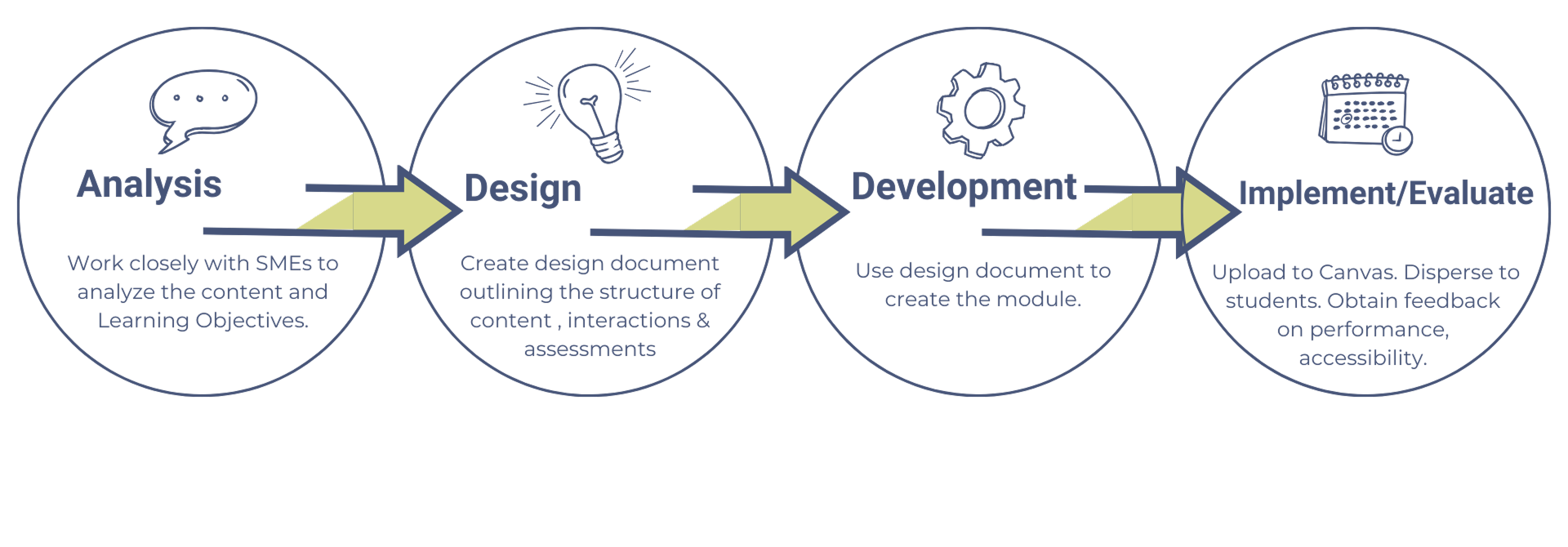
Custom Graphics
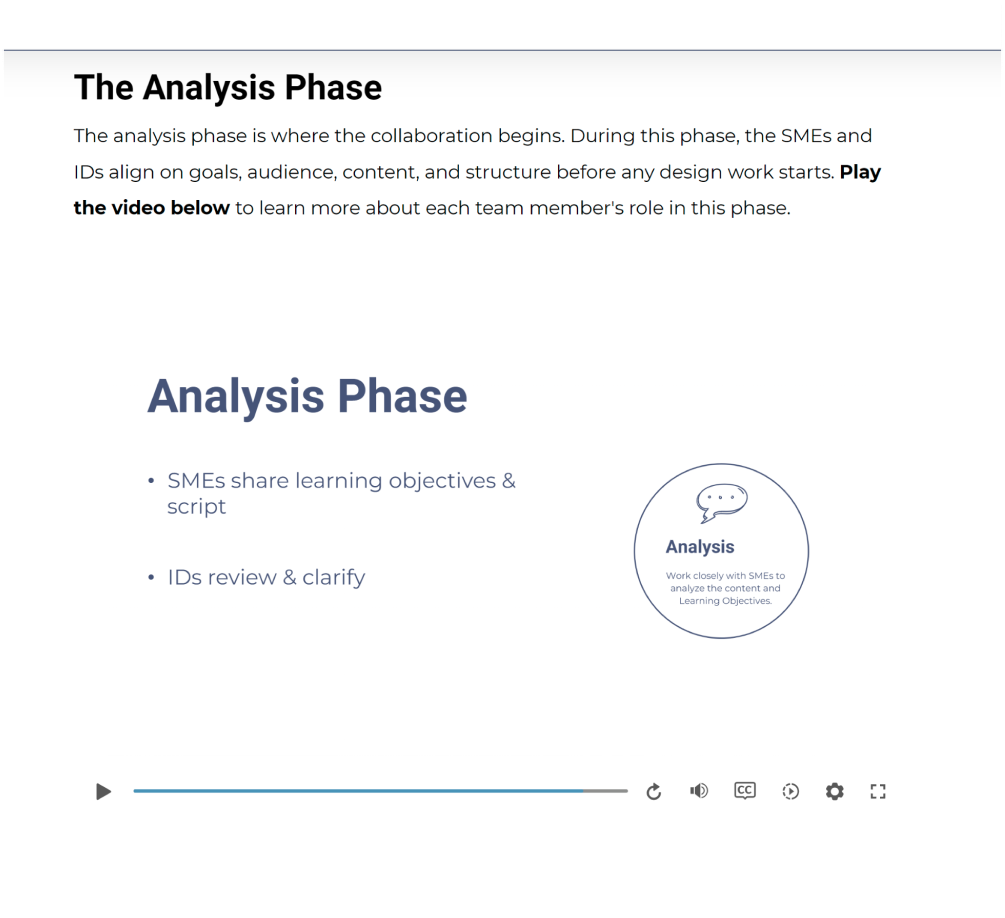
Custom Videos
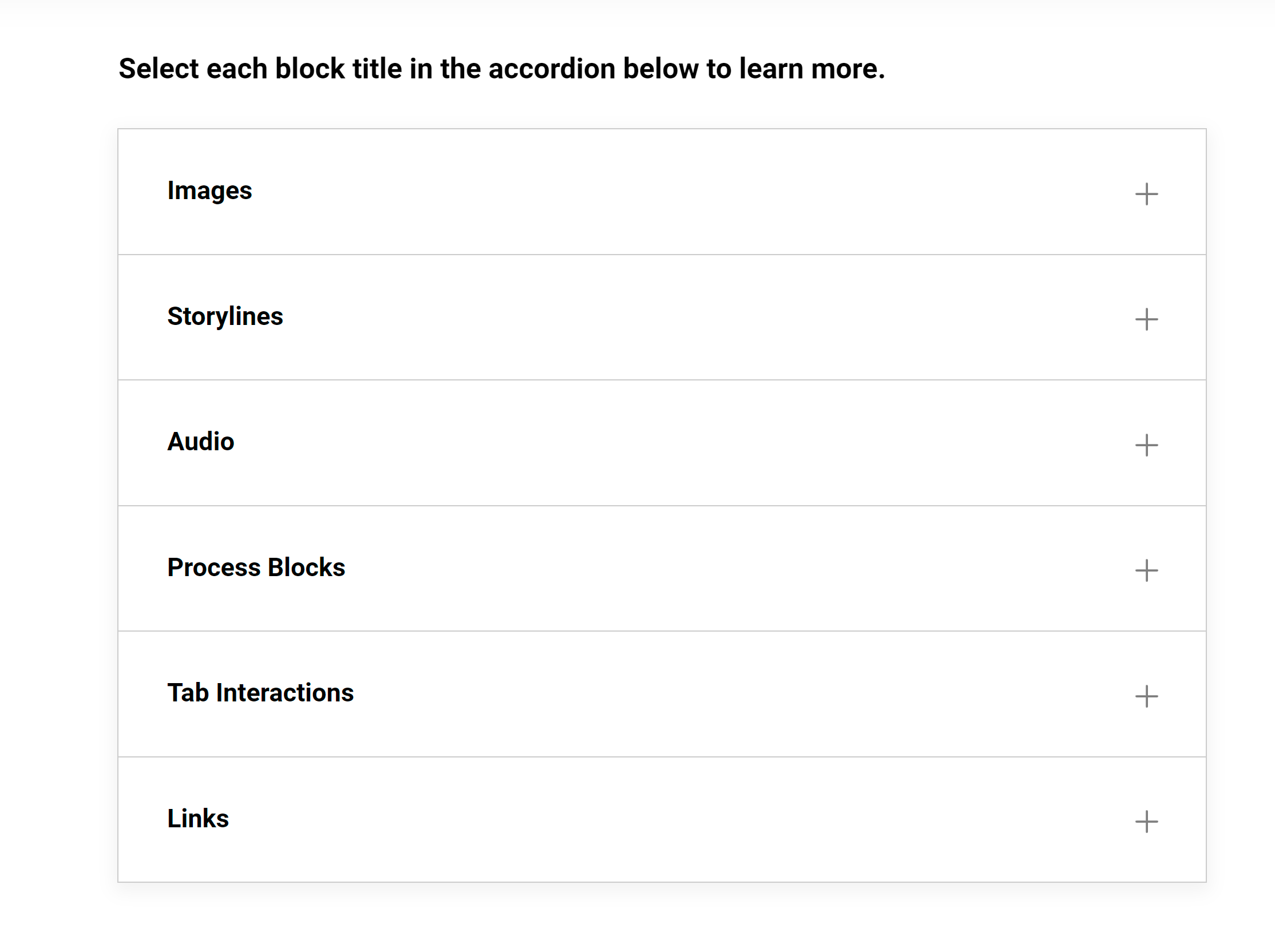
Interactive Retrieval Activities
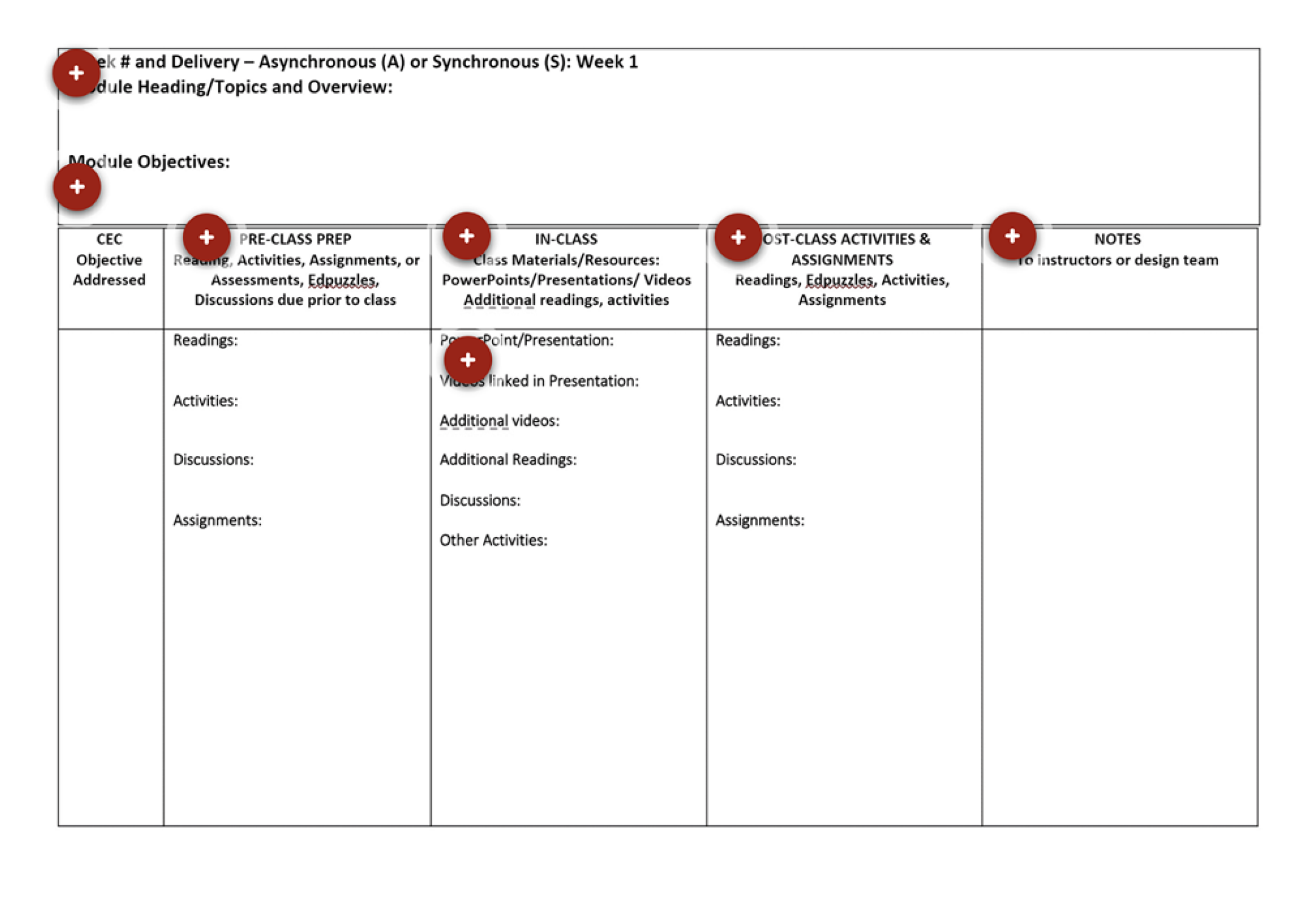
Interactive Forms
Printable job aids were also included so Subject Matter Experts can reference forms, roles, and process steps outside of the course, supporting performance support and just-in-time learning when they begin working with an Instructional Designer. Accessibility considerations informed layout and content decisions, including clear headings, concise language, and multiple ways of representing information through visuals, text, and video. Together, these strategies create a learning experience that balances engagement with clarity while ensuring the information remains practical and easy to revisit during real-world collaboration
Value Delivered
I share this module with Subject Matter Experts before the project kick-off meeting, allowing them to explore the process at their own pace before collaborating with the Instructional Design team. Reviewing the workflow in advance helps SMEs arrive with more informed questions and a clearer understanding of their role. This makes the initial meeting more productive and focused. The module also serves as an ongoing job aid, enabling SMEs to revisit key steps, forms, and communication expectations whenever questions arise during the project.
The module has also proven valuable for onboarding new instructional designers. It provides a concise overview of our workflow, introduces the documents used throughout the process, and models expectations for stakeholder communication and collaboration. While originally developed for a higher education project, the structure and guidance are easily transferable to other organizational settings in which SMEs and instructional designers collaborate.